5 / 21
3
Calendar View with Time slots
-
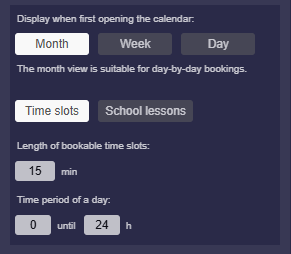
By default, the “Time slots” mode is active, which matches a familiar calendar with times:
-
Here you will find the following settings:
-
- “Length of bookable timeslots”: Specified in minutes – for example,
60means that you cannot book less than 1 hour.
- “Length of bookable timeslots”: Specified in minutes – for example,
-
- “Time period of a day”: Set start time and end time – for example,
8to16means the days are shown only from 8:00 to 16:00.
- “Time period of a day”: Set start time and end time – for example,
-
⚙ timeslots