2
Add map to a folder using dropdown “Bookmark”
-
You can save any map directly to one of your folders. Here’s how:
-
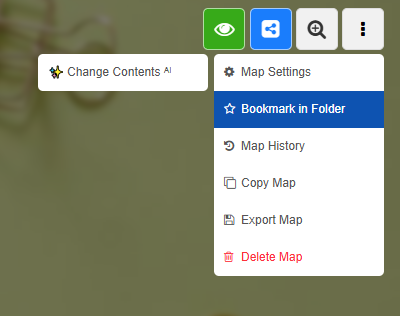
1. When you have a map open, click on the map menu at the top right.
2. In the dropdown, select the entry “Bookmark (in folder)”. -
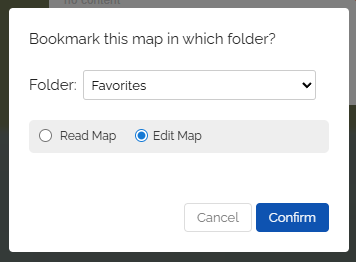
3. Now choose the folder where you want to save this map.
-
4. The map is now in the selected folder.
-
-
💖 A map can be saved in any number of folders.
-
💖 You can also save maps from other users.
-
⚙ dropdown