12 / 14
10
Saving Folder inside Folder
-
You can save not only maps, but also entire folders inside another folder. This allows you to structure larger collections clearly, for example by topics, classes, projects, or school years.
-
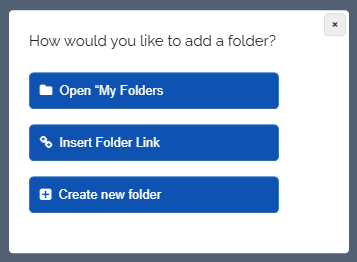
Go to your folder, click the red edit icon, and then click the “Add folder” button. The following dialog will open:
-
Select the appropriate option and add another folder to the current folder.
-
Saved folders are not moved or deleted. They will additionally appear in your folder and can still be opened in their original location.
-
⚙ folders