12 / 13
9
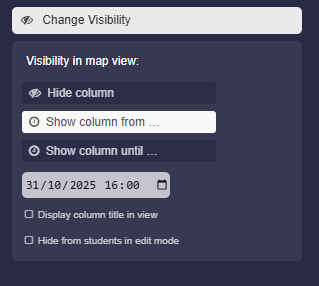
Change Visibility Settings
-
1. Hide column
-
The column will be completely hidden in the map view.
-
2. Show column from …
-
Here you can set the time from which the column is displayed in the map view.
-
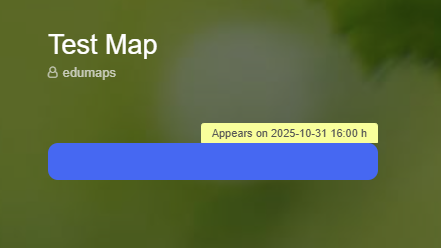
If you activate the option "Display column title in view", the column title will be displayed with the note "Appears on …".
-
Additional option: Hide from students
-
Further down you will find the option “Hide from students in edit mode”. This allows students not to see the column themselves when editing.
-
-
3. Show column until ...
-
Here you can select a time from which the column will be completely hidden.
-
⚙ settingsvisibility