
Introduction
-
✔️ With the AI on Edumaps you can create any maps you wish. You can also use contents of an existing map and utilize them for your AI task.
-
In this process, a new map is created.
-
-
Instructions:
-
1. Open a map on which you have editing rights.
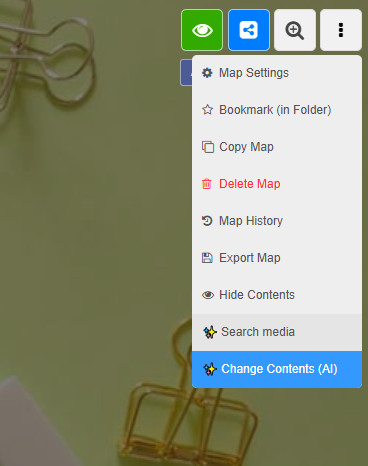
2. Open the map dropdown at the top right.
3. Select "Modify Content (AI)". -
-
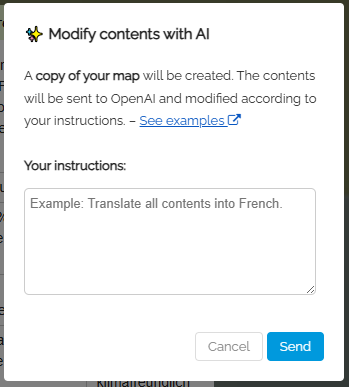
4. In the dialog that opens, enter your task.
-
-
In this process, a copy of the current map is created and processed by the AI according to your task.
-
Creating the new map can take up to 60 seconds.