25 Colors for Boxes (Examples)
Edumaps Tutorial EdumapsSemi-transparent Background
-
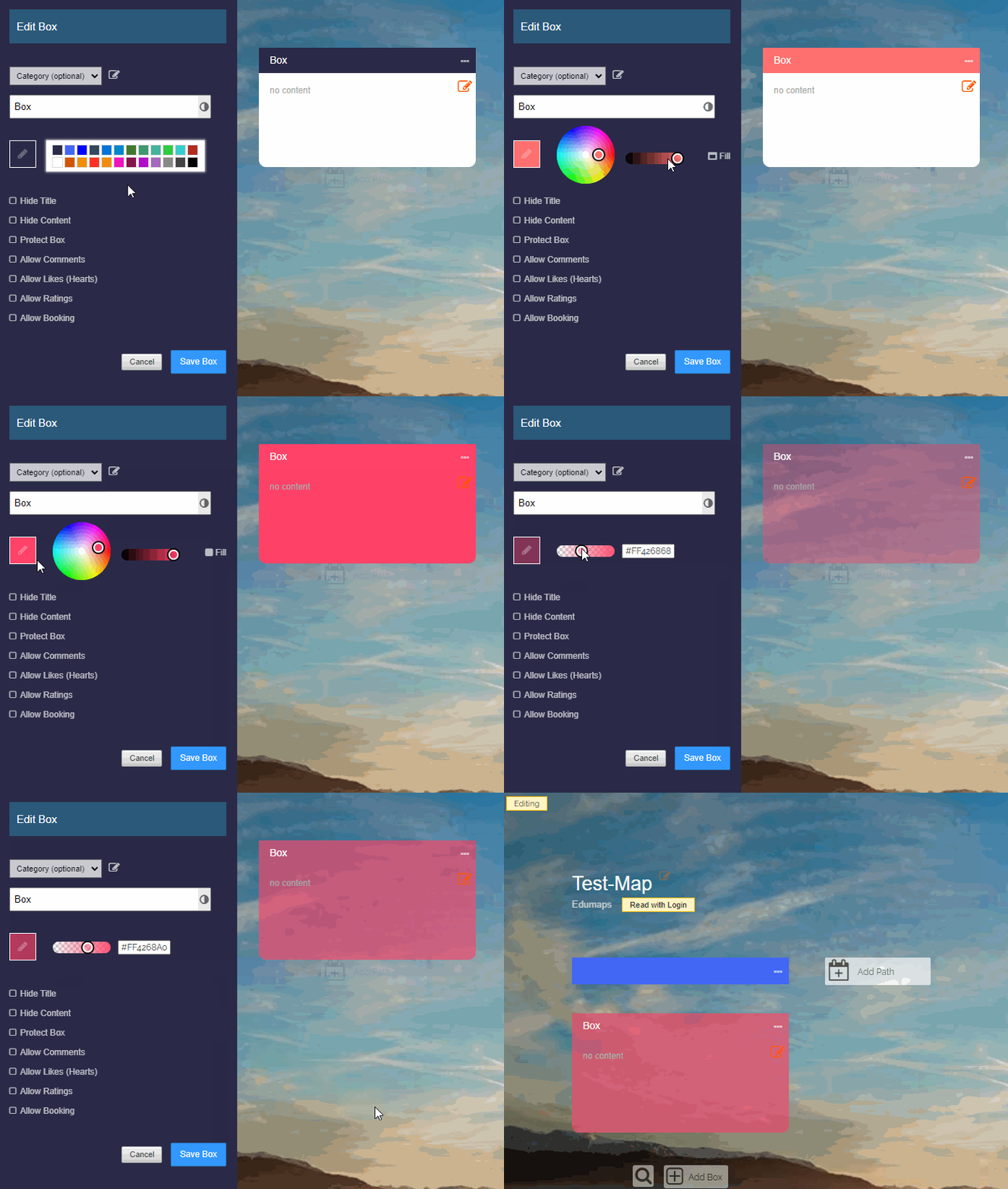
To create a semi-transparent background you need to:
-
1. Edit the box and click “Edit color” (pencil icon).
2. Click “Edit Color” a second time
3. You will now see the transparency slider that you can adjust. -
If you want to apply the semi-transparent color to the whole box, you have to click on “Fill”.