

8.6 Superadmin / Media center - Distributing maps to schools
EdumapsIntroduction
-
If we have set up your account as a media center (so-called "Superadmin"), you can distribute any maps to your schools.
-
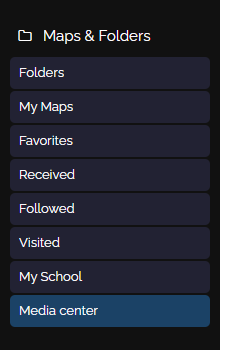
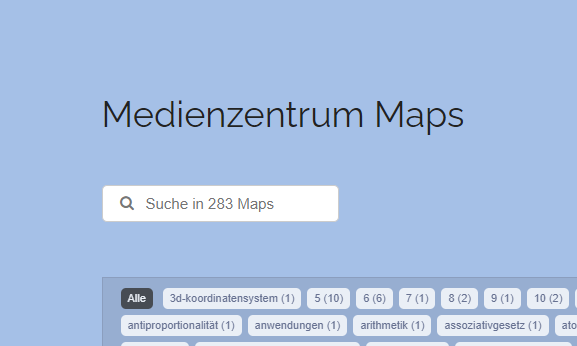
Each school assigned to your media center will find the menu “Maps” the entry “Media center”:
-
Here, you as a media center can distribute your maps and folders.
- The page "Media Center" is visible to all school admins and all teachers, but not to the students.
-
Teachers can copy the maps you have unlocked for their own use. Or only selected boxes with content.
1
Release Map for Schools
-
If you have created a map and you want to share it with your school, proceed as follows:
-
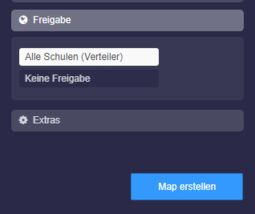
1. In the map settings, choose under Share: "All Schools (Distribution List)"
-
-
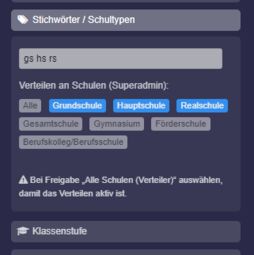
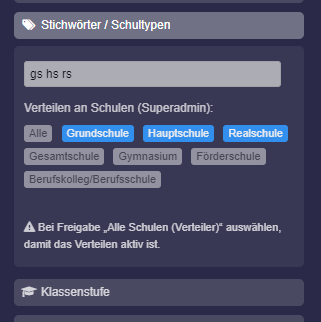
2. Scroll all the way down, there you will find the keywords. With the help of the keywords, you can determine whether all your schools should see the map or only specific school types.
-
3. Use the pre-made school types for selection. Simply click:
-
-
4. The keyword
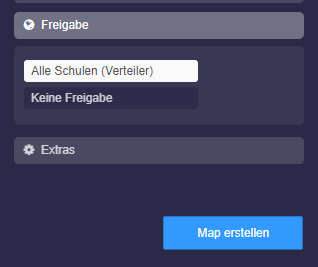
alldisplays the map to all your schools on the page Maps Media Center: - 5. Once you click “Save”, all schools will find this map on the page Maps Media Center.
-
⚙ release
2
Distribute by school types
-
You can define school types by using one or more of the following keywords:
-
allAll schoolsgsPrimary schoolhsSecondary general schoolrsIntermediate schoolgeComprehensive schoolgyGrammar schoolföSpecial needs schoolbkVocational college/vocational school
-
Example: The map is tagged with
gs,ge, andrs. This means the map will only be shown to the following schools: Primary school, Comprehensive school, and Intermediate school. -
⚙ schooltypes
4
Who sees your maps?
-
If shared by school type, the shared map will appear to all school administrators of this school type as well as the teachers there.
-
If shared by school number, the shared map will appear to the school administrator with this school number as well as the teachers there.
- Students do not have access to the page "Media Center".
-
⚙ visibility
5
Share Folders to Schools
-
You also have the option to share entire folders with schools.
-
To do this, open the desired folder and click the edit icon in the top right corner.
-
In the settings, click “Publish” and select “All schools (distribution list)”.
-
Save the folder.
- All schools and teachers will now find the folder on the page “Media Center”.
-
Note: Sharing by school type using tags is not possible.
-
⚙ folders