3 / 21
1
Activate Bookings
-
You can easily convert a box into a course.
-
- The box title becomes the course title.
- The box content becomes the course content.
-
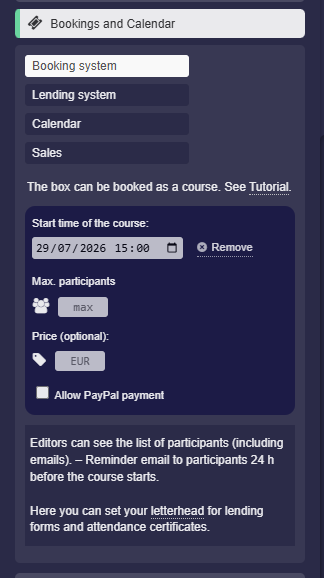
To do this, click “Bookings and Calendar” in the box settings. There, activate the “Booking system” option:
-
Then set the course start time in the input field.
-
- Optionally, you can enter the maximum number of participants.
- Optionally, you can set a price.
-
Click “Save Box” – Congratulations, your course is now activated.
-
-
Note: This option cannot be activated by students or anonymous users.