Edumaps

edumaps

  • Lösungen
    • Für Schulen
    • Für Lehrkräfte
    • Deutsch als Zweitsprache
    • Für Schulträger & Medienzentren
  • Funktionen
  • Beispiele
    • Praxisbeispiele
    • Lernmaps
    • Sprachkurse
  • Preise
    • Lehrkraft & Privat
    • Schulen
    • Schulträger & MZ
  • Hilfe
    • FAQ
    • Tutorials
    • Fortbildungen
    • News
    • Kontakt
FAQ - Häufige Fragen Freie Mediathek
de
DE
EN
ES
FR
IT
RU
Anmelden
  • Lösungen
    • Für Schulen
    • Für Lehrkräfte
    • Deutsch als Zweitsprache
    • Für Schulträger & Medienzentren
  • Funktionen
  • Beispiele
    • Praxisbeispiele
    • Lernmaps
    • Sprachkurse
  • Preise
    • Lehrkraft & Privat
    • Schulen
    • Schulträger & MZ
  • Hilfe
    • FAQ - Häufige Fragen
    • Tutorials
    • Fortbildungen
    • News
    • Kontakt
3 / 5
1
Instructions for adding media
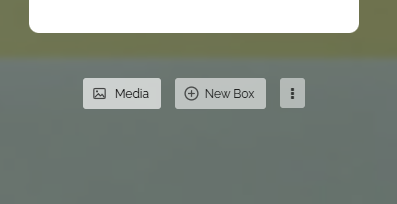
  • To import a medium as a new box, open your map in edit mode and click on the “Media” button.
  • Vorschaubild Button “Media”
    Button “Media”
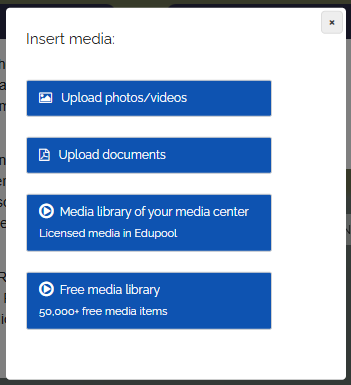
  • Then the following dialog opens:
  • Vorschaubild Dialog “Insert media”
    Dialog “Insert media”
  • Select the relevant option for you.
  • ⚙ instructions
0

AGB Datenschutz Preise Über Edumaps FAQ Impressum Kontakt

Made with by Edumaps