3. Edit and structure Maps
3.2
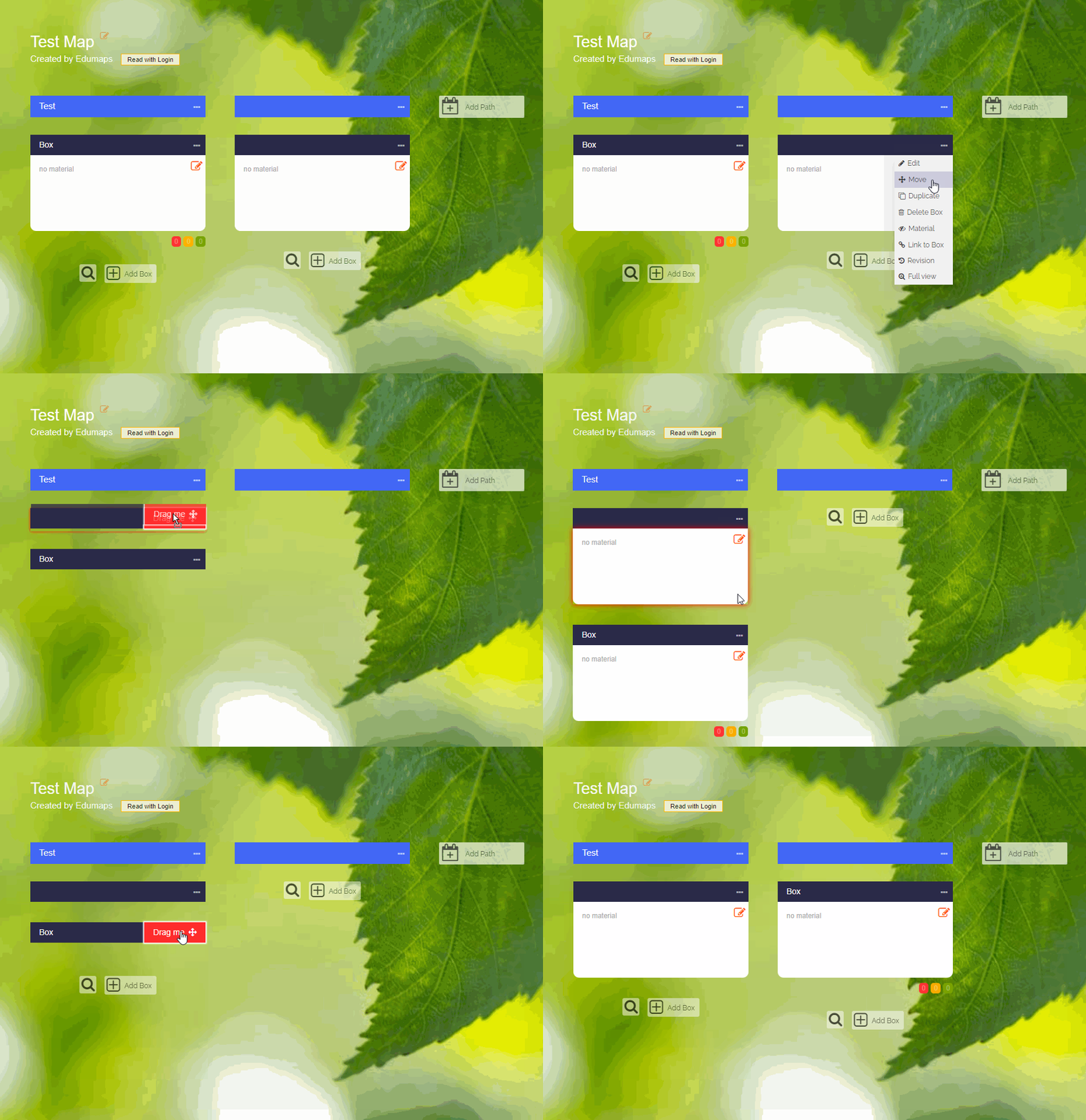
Move Columns and Boxes
-
To move a column to the left or right, click on the three dots and choose “Move”.
-
To move a box to another position on the map, click on the three dots and choose “Move”. Then drag the box to the new position.