3 / 7
1
Release Map for Schools
-
If you have created a map and you want to share it with your school, proceed as follows:
-
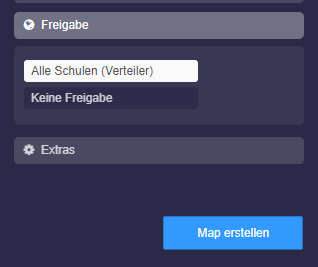
1. In the map settings, choose under Share: "All Schools (Distribution List)"
-
-
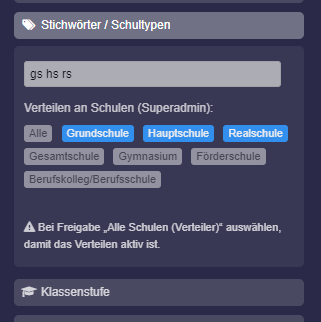
2. Scroll all the way down, there you will find the keywords. With the help of the keywords, you can determine whether all your schools should see the map or only specific school types.
-
3. Use the pre-made school types for selection. Simply click:
-
-
4. The keyword
alldisplays the map to all your schools on the page Maps Media Center: - 4. Once you click “Save”, all schools will find this map on the page Maps Media Center.
-
⚙ release