7 / 13
5
Background
-
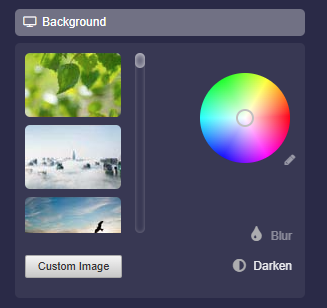
You can customize the background of your map as you like.
-
- You can choose from the available background images.
- You can upload your own background image using the "Own Image" button.
- You can select any color using the color wheel.
- If you want to enter a color code, click on the small pencil icon next to the color wheel.
- By clicking on "Darken", the background will be darkened, which often leads to better readability of the map.
- By clicking on “Blur” the background will be blurred. This effect can help to perceive the boxes better.
-
⚙ background