10 / 13
7
Protect column content with password
-
If you want to hide the content of a column and only make it accessible with a password, you can use the password function.
-
- To set the column password, open the column settings.
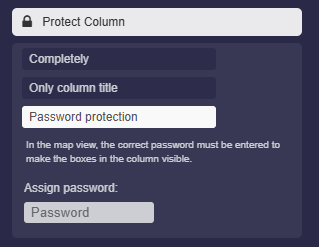
- Activate the option “Protect column” and select “Password protection.”
- Enter your desired password there. Save the settings.
-
Result: In the map view, all boxes of this column will be hidden and a password input field will appear below the column title.
-
Displayed only after entering the correct password.
-
⚙ password