4 / 10
2
Set Priority
-
Prioritize tasks to highlight the most important ones.
-
You can choose from the following options:
-
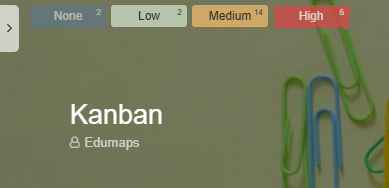
- None: No special priority assigned.
- Low: The task is less urgent.
- Medium: Normal priority, moderate importance.
- High: This task takes precedence and requires prompt attention.
-
This helps prevent misunderstandings and ensures everyone is focused on the right priorities together.
-
As soon as priorities have been assigned, a task filter appears at the top left of your mapp, allowing you to filter the corresponding boxes.
-
⚙ priority