

🎉 1.75 Million Visitors
-
🎉 Thank you for your trust: In September 2026, over 1.75 million visitors accessed Edumaps within 30 days, spread across all five servers (www, Hesse, NRW, Lower Saxony, Switzerland). That is a new record.
-
For the start of the 2026/2027 school year, we have once again implemented many new features for you. You will find all the details on this map.
-
-
🎬 And one more thank you: The Darmstadt-Dieburg media centre produced a video on some of these new features on its own initiative.
Table of Contents
-
⭐ Top Highlights
- Welcome to the Edumaps News
- 🔊 Read Aloud: Listen to Any Box at the Push of a Button
- 📥 New: Trello Import
- 📥 New: TaskCards Import
- ☑️ New Checklist Module
- ✅ Checklists with Yes/No
- 📄 From Document: Create a Map or Quiz from a File
- 👨👩👧 Distribute to Group: Each Member Receives a Copy
- 🛡️ Protection Against Accidental Deletion
- 🛡️ Log In More Securely with a Confirmation Code (2FA)
✍️ Editor & Boxes- 📑 Table of Contents: List Columns Automatically
- 🖼️ My Uploads: Reuse Files Conveniently
- 📝 Edit Boxes in the Single View
- 🧲 New Sort Dialog for Boxes
- 🔢 Box Count and Automatic Numbering
- ✒️ New Editor Syntax
- 🎨 New Colour Picker with Custom Colours
- 🙈 Polls: Hide Results from Others
- 🔍 Zoom Now Also in Edit Mode
- ✋ Move the Map with the Space Bar
- 💬 Comments with the Full Editor
🗂️ Maps & Media👥 Administration & Account📚 Content & Tutorials
⭐ Top Highlights10
1
Welcome to the Edumaps News
- Here you will find all new features since our last update from Summer 2026.
-
Read the news comfortably in full view by clicking the red "Presentation" button at the top left.
2
🔊 Read Aloud: Listen to Any Box at the Push of a Button
-
In the map view, every box containing text now has a speaker icon. One click reads the box aloud, first the title, then the content.
-
- The language is detected automatically per box (over 60 languages), ideal for foreign language teaching and reading support
- Available in the map view, in the single-box view and in shared columns
- MP3 download of the speech output directly at the icon
- Read-aloud can be switched off per map in the map settings
-
The speech output is generated by Microsoft Azure AI Speech in an EU data centre in Sweden and is listed in the DPA. The existing audio tag for individual words remains available.
3
📥 New: Trello Import
-
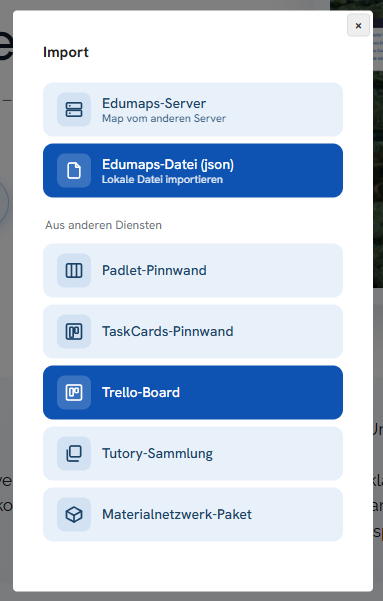
Trello boards can now be imported directly into Edumaps.
-
- Import via board link or JSON file
- Lists become columns, cards become boxes
- Descriptions, checklists and colours are carried over
-
You will find the new option in the import dialog. This makes switching from Trello a matter of seconds.
4
📥 New: TaskCards Import
-
TaskCards pinboards can now also be imported directly into Edumaps.
-
- Simply paste the link to the pinboard or the share link, including from self-hosted TaskCards instances
- Columns, cards, colours and attachments are carried over, images in original size
- Alternatively, import from a saved HTML file is possible
-
Pinboards in Kanban format are supported. You will find the new option in the import dialog. This makes switching from TaskCards a matter of seconds.
5
☑️ New Checklist Module
-
Boxes can now contain checklists whose items can be ticked off.
-
- Conveniently created via the new dialog in the box editor
- New page My Checklists with all open items at a glance
- Each participant ticks off items for themselves, the map owner sees in the evaluation who has completed what
-
Ideal for task lists, station work and to-dos among colleagues.
-
Tutorial: Checklists LINK
6
✅ Checklists with Yes/No
-
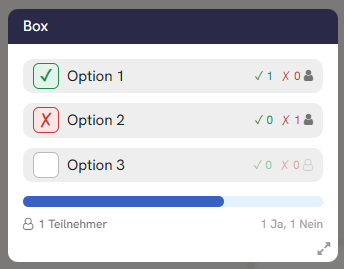
Checklists have a new mode Yes/No: Each entry can be answered with ✓ (yes), ✗ (no) or left open, instead of only being ticked off. The mode is selected in the checklist dialog of the box editor.
-
- Ideal for "I can" lists and self-assessments: A missing tick no longer automatically means "I can't"
- New overview table in the evaluation: per entry the number of ✓, ✗ and no answer
- Evaluation exportable as CSV as before
7
📄 From Document: Create a Map or Quiz from a File
-
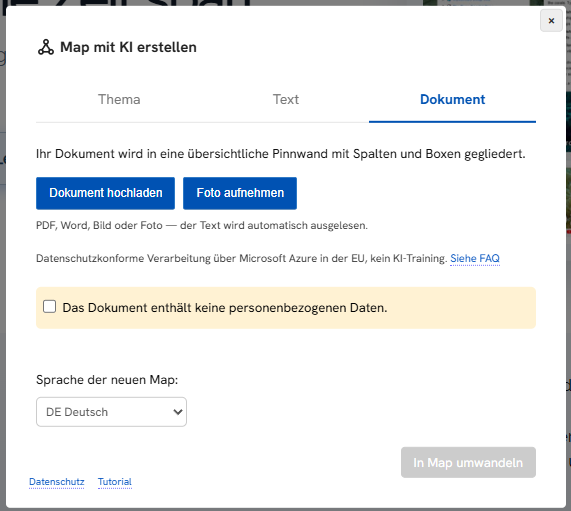
The AI functions can now also use a document or photo as a source.
-
- Topic map: from a topic, your own text or an uploaded document
- Quiz: from a topic or a document, the AI uses only the content of the file as its basis
- Supported formats include PDF, Word, text files and photos of printed pages
- The uploaded file remains available under My Uploads and can be used for further maps or quizzes.
-
Available on www.edumaps.de and nrw.edumaps.de, AI activation is being prepared in Hesse and Lower Saxony.
8
👨👩👧 Distribute to Group: Each Member Receives a Copy
-
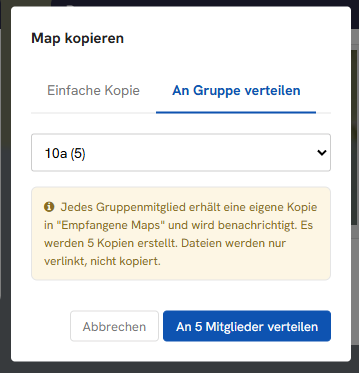
A map can be distributed as a copy to all members of a group with a single click.
-
- Each member receives their own copy and works independently
- The teacher finds all copies collected in an automatically created folder
-
This lets you distribute assignments to an entire class in seconds.
9
🛡️ Protection Against Accidental Deletion
-
The map settings now offer the new option Protect against accidental deletion. A protected map can only be deleted once the protection has been removed again. Ideal for maps in permanent use, for example school portals or parent information.
-
- The protection applies only to the original map, copies are created without protection
- The owner can recognise protected maps by the lock icon
10
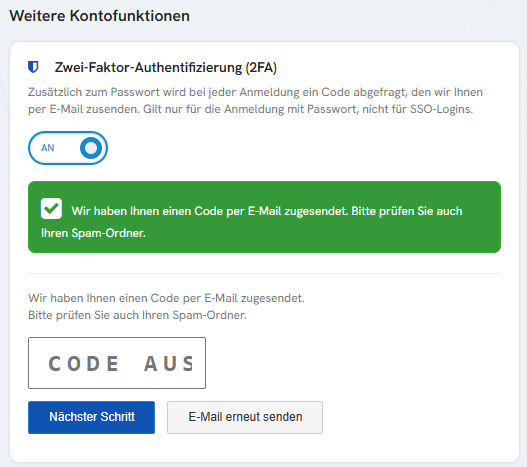
🛡️ Log In More Securely with a Confirmation Code (2FA)
-
When logging in with a password, an additional confirmation code by email can now be required (two-factor login).
-
- Protects the account even if the password falls into the wrong hands
- The code is sent to the registered email address
✍️ Editor & Boxes11
11
12
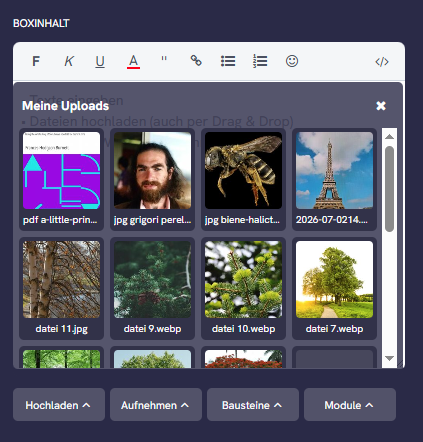
🖼️ My Uploads: Reuse Files Conveniently
-
In the box editor, the Upload dropdown has a new menu item My Uploads.
-
- Previously uploaded files appear as thumbnails
- Insert into the box with one click, without uploading again
- Older files can be conveniently loaded on demand
13
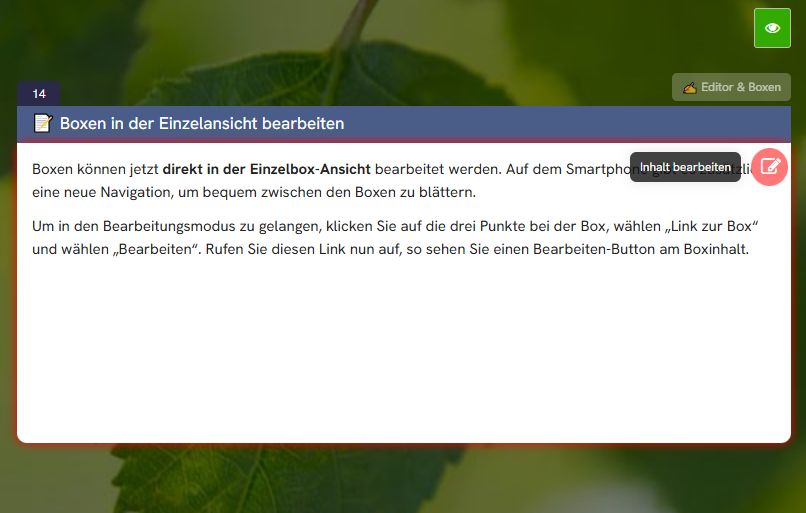
📝 Edit Boxes in the Single View
-
Boxes can now be edited directly in the single-box view, without going via the map.
-
- Open the box via its edit link (three dots on the box, then Share, then Edit). In the single view, an edit button appears directly on the content.
- On the desktop, use the arrows to the left and right of the box to move to the previous or next box.
- On the smartphone, there is a dedicated navigation below the box for this.
14
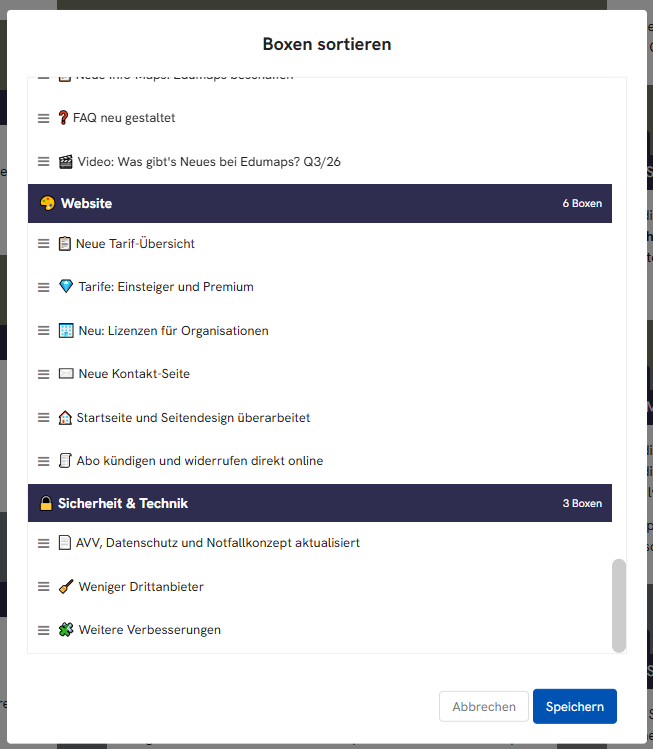
🧲 New Sort Dialog for Boxes
-
Several boxes can now be rearranged in one step in a clear sort dialog, even across columns.
-
Click the three dots on the box and click the list icon next to "Move".
15
16
17
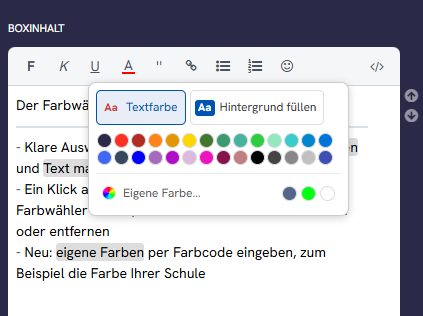
🎨 New Colour Picker with Custom Colours
-
The colour picker in the box editor has been redesigned:
-
- Clear choice between text colour, fill background and highlight text
- Clicking a colour mark in the text opens the colour picker again, the colour can be changed or removed directly
- New: enter custom colours by colour code, for example your school's colour
18
19
20
🗂️ Maps & Media6
22
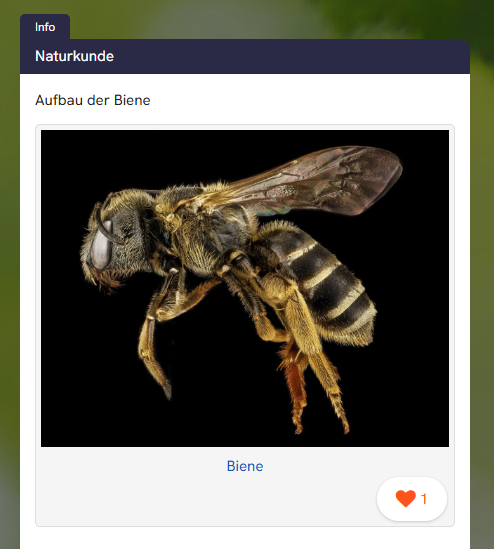
❤️ Like Function for Photos and Videos
-
In the gallery view, every single photo and video can be given a like heart. You activate the function in the map extras. Ideal for photo competitions, project documentation and school trips.
23
24
25
📥 Imports: Dedicated Pages and Transfer Notes
- The imports from Padlet, TaskCards and Trello now each have their own page under Create Map and then Import. The new page Transfer Notes transparently explains how an import works and which data is transferred.
-
- TaskCards: the pinboard's background image and background colour are carried over as well
- Improved transfer of media and clearer notes when individual files could not be transferred
26
👤 Profile Picture as Logo Next to the Map Title
-
The author's profile picture now appears as a logo next to the map title, for example your school's logo. It can be hidden via the map extras or by removing the profile picture.
-
Also new: The profile picture can be changed directly on the My Account page and appears at the top right in the navigation.
👥 Administration & Account8
28
29
🏫 Add Existing Accounts to the School
-
An existing account can now be assigned to the school directly in Edumaps, without a new account:
-
- The school admin (or the media centre) enters the username under Invite Users
- At the next login, the teacher sees an invitation to the school and accepts or declines it with one click
- All maps and uploads are retained, after acceptance the storage space of the school licence applies (5 GB)
-
Under My Uploads, a Basic account now shows the two ways to get more storage space: assignment to a school or an individual licence.
30
👥 Adopt the School's Classes
-
Teachers now find classes created by the school admin on the page School Classes (previously Prepared Classes) and adopt them individually or all at once with Adopt All. Adopted classes are available in the group dropdown under Adopted from Admin. The user management is organised into tabs: List of all accounts, Classes & Groups, School Classes.
31
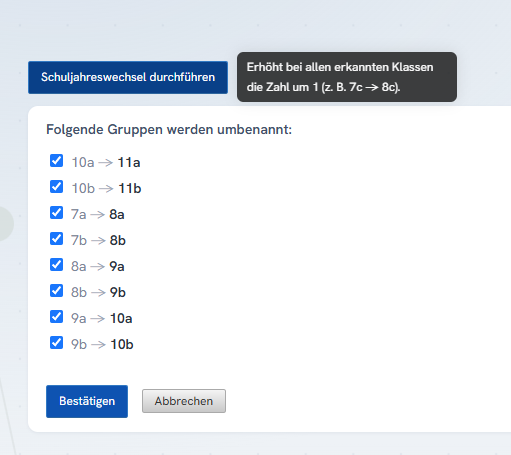
🔄 School Year Change: Promote Classes in One Step
-
The user management has a new page for renaming classes and groups. With the School Year Change function, all class names are moved up one year with a single click, 7a becomes 8a.
-
In addition, existing classes and groups are now retained when re-importing a CSV and are no longer replaced.
32
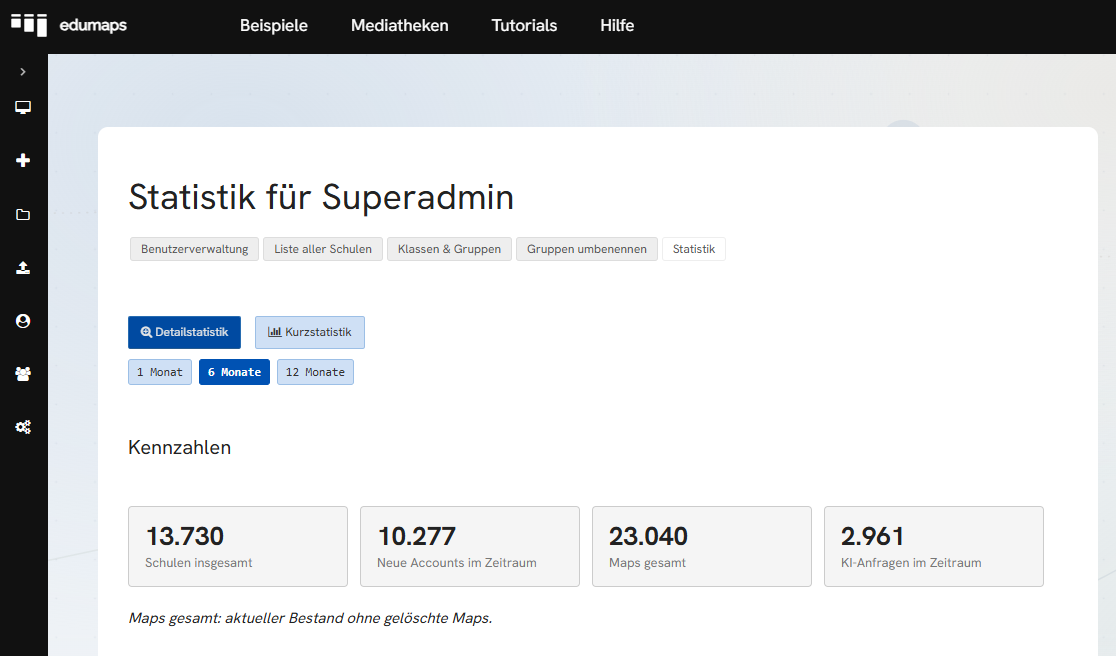
📊 Statistics Dashboard for Media Centres
-
Media centres and superadmins receive a new statistics dashboard with key usage figures, for example active accounts, maps created and activity over time.
33
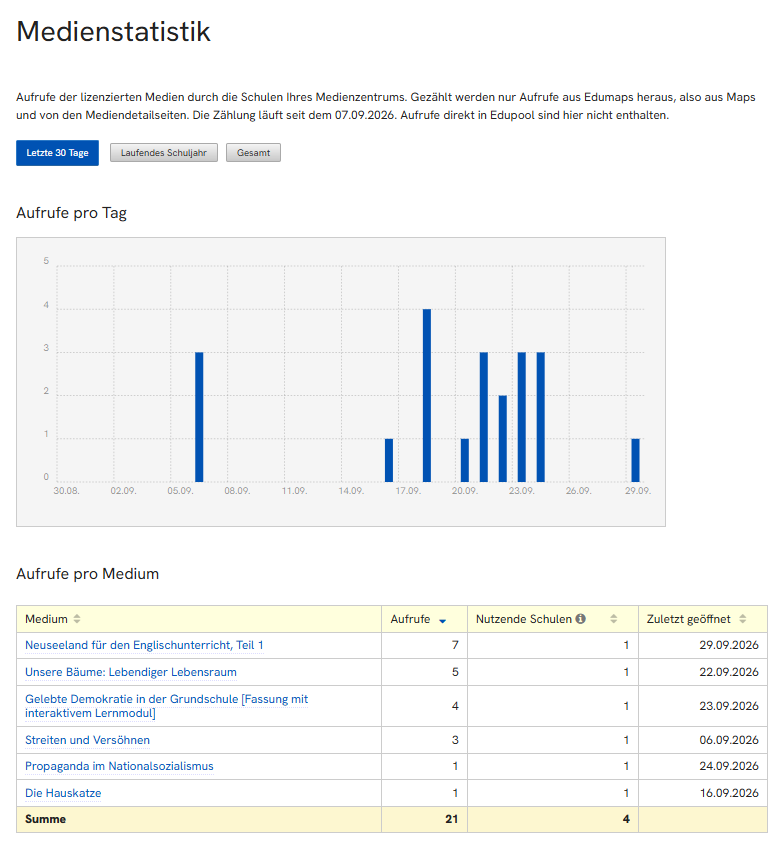
📊 Media Statistics for Media Centres
-
On the new Media Statistics page, media centres can see which media from the media library have been opened in Edumaps and how often, optionally for the last 30 days, the school year or in total.
-
Only view counts per school are stored, no personal data.
34
🆘 Faster Help with Login
-
For problems with passwords or registration, help links directly in the login area now lead to the appropriate guide.
- Help with login problems
35
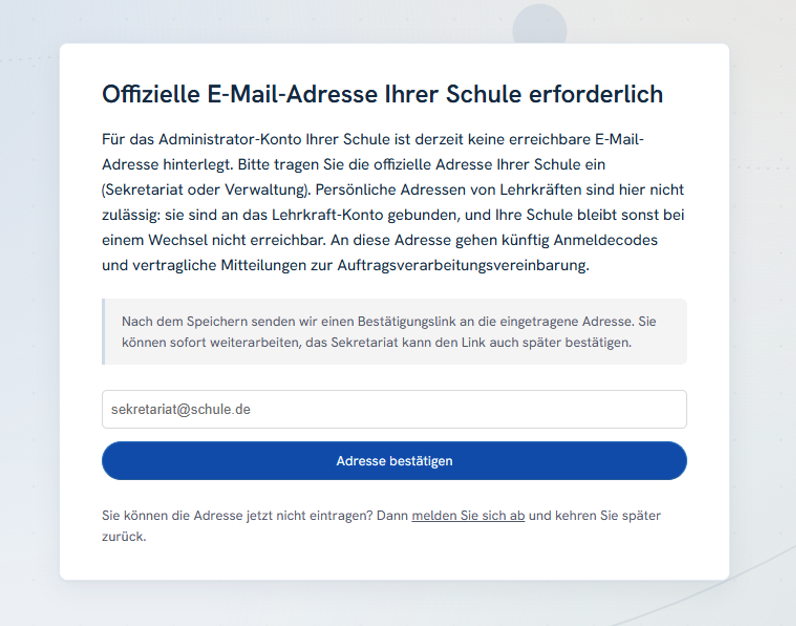
📧 Official School Address for Admin Accounts
-
School admin and superadmin accounts now require an official email address of the school, for example headteacher@myschool.org or office@myschool.org. A teacher's personal address is not sufficient.
-
If no such address is on file, Edumaps asks for it once at the next login. This ensures that important notifications, for example about the DPA or security topics, reliably reach the school even when the admin changes.
📚 Content & Tutorials4
36
🗃️ Templates: Over 200 in the Catalogue, New for Parent Communication
-
The template catalogue has been expanded to over 200 templates, in German and English. When creating a new map, simply choose From Templates and find ready-made maps for teaching, organisation and projects.
-
For camps, courses and clubs there is a new Parent Portal template: all information, dates and photos for parents in one central place.
- The new example map Better Communication with Parents shows how Edumaps is used as a central channel for parent information, instead of confusing chat groups. Available in German and English, also linked in the Practical Examples map.
37
🎓 New Self-Paced Courses
-
There are new self-paced courses, including an onboarding course for schools (German and English). You will find the courses in the menu under Tutorials.
-
Self-paced courses LINK
38
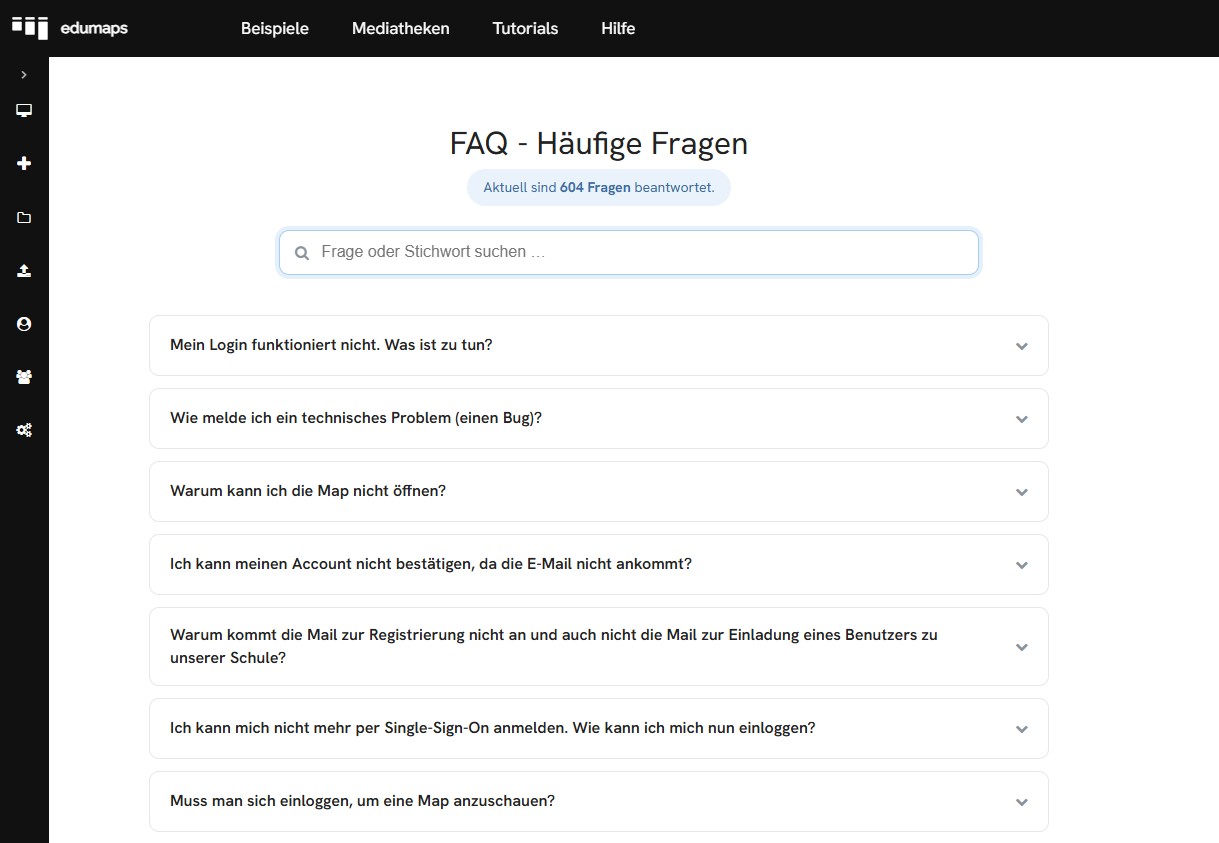
❓ FAQ Redesigned
- The FAQ has been completely revised:
-
- Expandable questions, live search with hit counter and highlighting of matches
- Back-to-top button and direct link to every question
- Numerous new entries, including on text recognition, billing and the imports
39
🎬 Video: What's New at Edumaps? Q3/26
-
The Darmstadt-Dieburg media centre has summarised the new features of the third quarter in a short video:
🎨 Website2
40
📋 Pricing Pages Revised
-
All pricing pages have been redesigned. The overview for individual accounts now contains a comparison table of all plans, so you can see at a glance which features are included in which plan. The pages for schools and media centres also now show the licences clearly structured.
-
School licences LINK
41
🏢 New: Licences for Organisations
-
For institutions without student accounts, there are now dedicated organisation licences with central management and all premium features, for example for training institutions, church congregations or clubs. Term of one year, without automatic renewal.