Edumaps
Structure that saves time
Everything for teaching & organization – in a digital pinboard
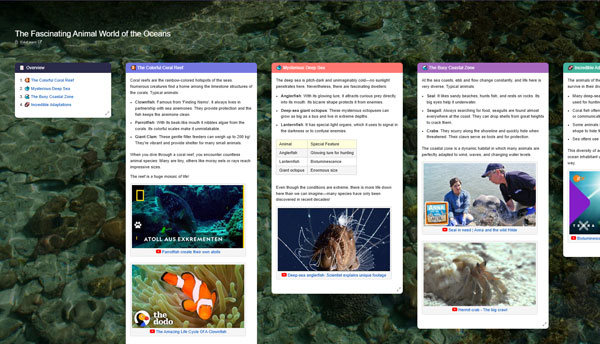
Use Cases Learning Maps Language Courses Get started for free
Designed to simplify your day
With Edumaps, you prepare lessons, organize materials and collaborate with your team – all in one place.
Fully Audited Data Protection
Audited by datenschutz nord GmbH.
Security through Content-Security-Policy
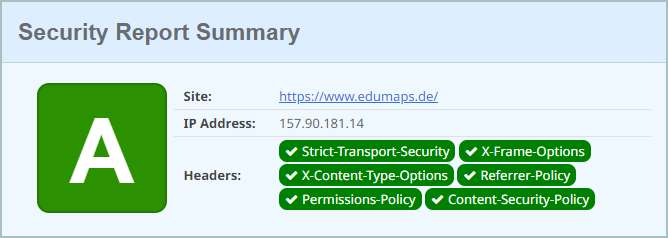
“Content Security Policy” is a security concept to prevent hacker attacks on a website. If a hacker wants to inject an external script, it will not be executed. The loading of links to external websites is always blocked. The user is protected at all times.
Accessibility
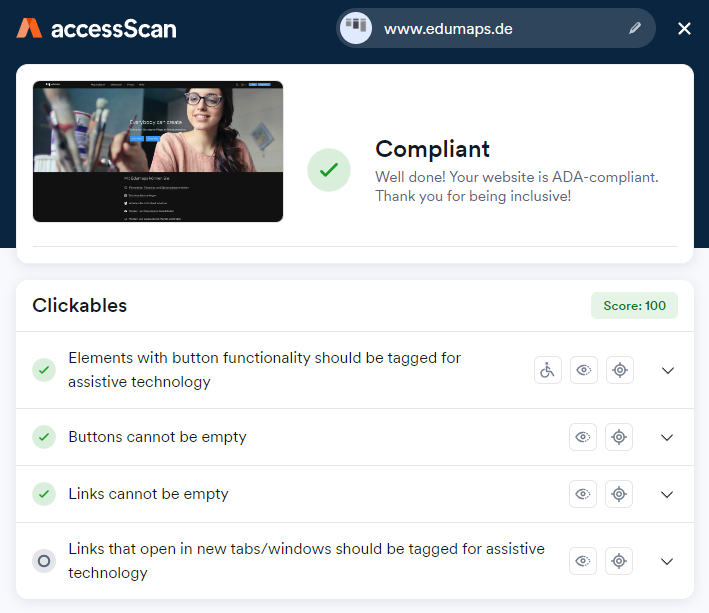
“ADA - Americans with Disabilities Act” is a law that protects the civil rights of people with disabilities in many areas of public life. Our website is accessible for visually impaired individuals without barriers.
State Licenses for schools in:
8600+ schools actively work with Edumaps
Edumaps for Schools
Teaching, organization and communication in one place – structured, secure and time-saving.
- Plan lessons & projects (learning maps, weekly plans, timelines, galleries) – everything clearly structured in one place
- Collect & share materials centrally (links, files, media, templates) – quickly find them again with tags & folders
- Create learning materials with AI support – prepare boards, quizzes, language courses and tasks faster
- Assign tasks and keep track – who does what by when, including feedback and comments
- Collaboration among staff – shared boards, clear permissions and less email ping-pong
- Involve students – via link, QR code, class or protected access
- Provide news & information centrally – notices, parent information, guides, travel plans and substitution notices
- Create, subscribe to & import calendars – e.g. class calendars, exams, excursions and project dates
- Book rooms & lend devices – tablets, projectors, specialist rooms or sports halls including occupancy calendar
- Organize registrations & feedback – parent-teacher conferences, club registrations, cafeteria meal choices or project groups
- Control roles & permissions – suitable for school leadership, staff, classes, students and parents
- Export and reuse maps – as a Moodle course, PDF, image, Markdown or offline version
Edumaps for Teachers & Individuals
Get started quickly, create content and visually structure learning processes – even without a school license.
- Create your own learning maps – for teaching, tutoring, self-study, projects or professional development
- Prepare faster with AI – structure topics, formulate tasks, generate quizzes and rework content
- Design weekly plans and learning paths – ideal for teaching units, station-based learning, exam preparation or individual support
- Collect and organize materials – clearly combine links, images, PDFs, videos, audio files and documents
- Use and adapt public maps – adopt existing content, copy it and modify it for your own needs
- Create language courses and quiz maps – for vocabulary training, revision, self-assessment and interactive exercises
- Have texts read aloud – text-to-speech for your own content, learning texts and more accessible use
- Share easily – via link or QR code, optionally anonymous and without complicated registration
- Work together – with colleagues, learning groups, families or project teams
- Export content – as PDF, image, offline version, Markdown or Moodle course
- Build a personal knowledge collection – for notes, ideas, research, courses, applications or private projects
Suitable for many educational and organizational sectors
Edumaps is used in schools, media centers, teacher training seminars, professional development courses, educational projects, associations, and public institutions.
Switching from Padlet?
Many teachers are looking for a privacy-friendly alternative to Padlet. That's why we show here how Edumaps and Padlet differ in key areas such as data protection, features, school administration, export, and AI support.