Step by Step
4 / 8
2
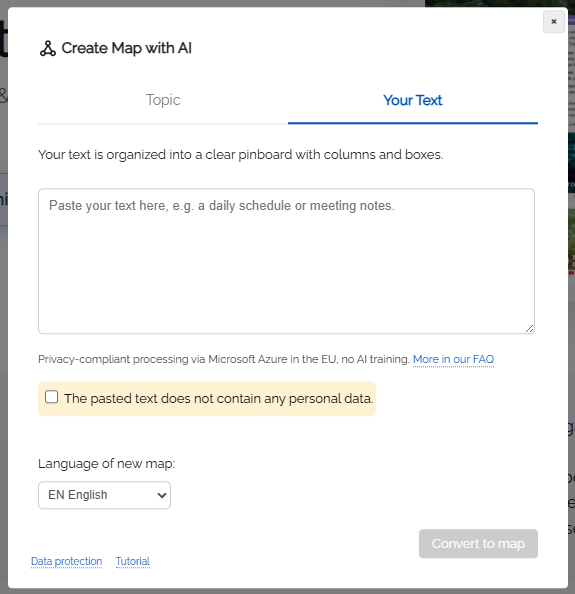
Dialog: Insert your own text
-
The dialog opens in the "Insert your text" mode. Paste your existing text here, for example by copying and pasting from a note, an email, or a document.
-
The text may be unformatted and unsorted (up to 15,000 characters).
-
Note: To create the pinboard, your text is transferred to the AI module. Please make sure that the text does not contain any personal data, and confirm this using the checkbox in the dialog.
-
Then click the “Convert to map” button.