3 / 13
1
Activate Sales Module
-
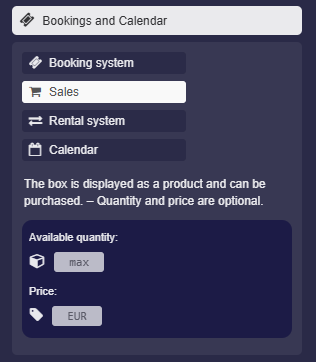
In the box settings, click on “Bookings and Calendar”. There you can activate the “Sales” option:
-
You can then optionally set the available quantity and a price. However, purchasing is also possible without this information.
-
Click on “Save Box”. – Congratulations, your product is now available for purchase.
-
Notes:
-
- This option cannot be activated by students or anonymous users.
- The PayPal feature is not available on all servers.
-
⚙ activate