2 / 7
1
Embed external Boxes (Part 1/4)
-
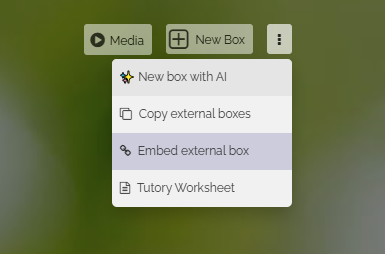
To embed an external box from another map, click on the three dots to the right of the "New Box" button. A dropdown will then open. Select "Embed External Box" from there.
-
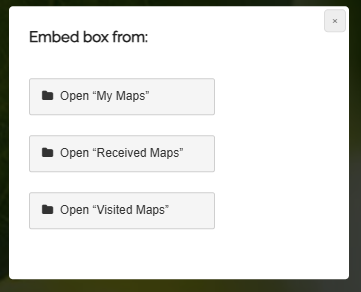
Clicking on it will display the following selection, where you can search for boxes:
-
You can choose:
-
In fact, you can also embed boxes into your map from all other pages that list maps.