5 / 10
3
Share Folder with User
-
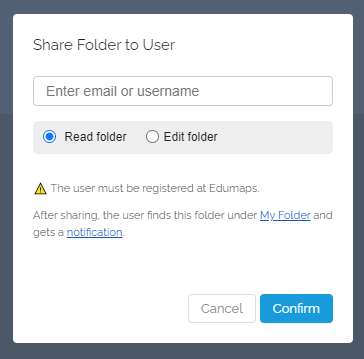
If you want to share the folder with a user, this dialog will open:
-
Enter the email or username. The user must already be registered with Edumaps. Then select the access right (Read or Edit). Click "Confirm" afterwards.
- After sharing, the user will find this folder under My Folders (as an "External Folder") and will receive a Notification.
-
⚙ user