1
Publish to Entire School
-
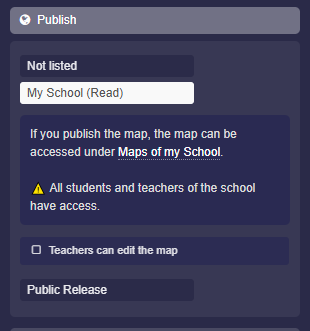
You can publish a map so that it is displayed to all members of your school on the "My School" page.
-
To do this, use the "Publish" category in the map settings.
-
You can open the map settings as follows:
-
- Click the red edit icon at the top right of the map.
- Click on the map title.
- The map settings will open in the sidebar.
- Click on "Publish"
- Activate "My School (Read)" and save.
-
This results in the following:
-
- The map appears on the "My School" page.
- All teachers and students have access to the page and therefore to your map.
-
⚙ school