

Edumaps Updates & News - Spring 2026
Edumaps1Table of Contents
-
- 🗣️ New Language Course Module with AI Support
- 🖼️ New Map Format “Gallery” with Photo Mode
- 🛒 New Sales Module
- ✅ Task Module Expanded
- 📂 Navigation & Folders Restructured
- 📱 Improved Smartphone Navigation
- 🏫 20 New School & Sports Templates
- 🤖 New Tutorial Map: Create a Map with AI
- 📅 Rental Module: Blocked Days Introduced
- 📎 Media Button in Boxes
- ⏳ Countdown in Box Editor & Larger Editor
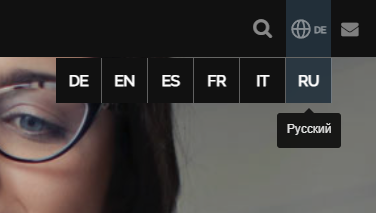
- 🌍 Russian Language Added
- 👩🏫 New Sample Map: Teaching Staff
- 📘 New Tutorial Map: Share Column Groups
- 🎨 New Design of the Login and Registration Page
1
🗣️ New Language Course Module with AI Support
-
A completely new module enables the creation of language courses with seven different task types.
-
With the help of the AI module, a complete language course can be generated in just 30 seconds.
-
New features:
-
- Dialog “Create language course with AI”
- Automatic task generation
- Evaluation of user results
-
At https://www.edumaps.de/p/educlass you will find many sample English language courses.
-
Select “Create Map” in the menu and choose “Language Course”.
-
⚙ a1
2
🖼️ New Map Format “Gallery” with Photo Mode
-
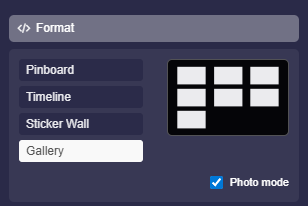
The new “Gallery” map format revolutionizes media uploads. The integrated photo mode allows you to upload photos and videos with just one click.
-
Highlights:
-
- Drag & drop up to 30 photos or videos at once
- Instant display in gallery format
- Ideal for events, projects, and documentation
-
Especially innovative: In certain scenarios, viewers can add live photos and videos themselves, for example during tournaments or events.
-
⚙ a2
3
🛒 New Sales Module
-
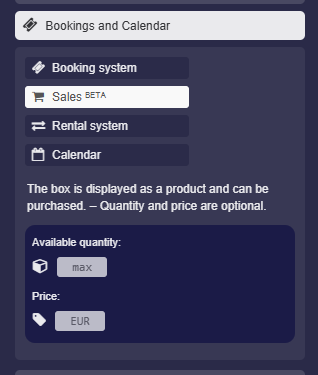
The previous booking module has been expanded with a sales module. You can now additionally define:
-
- Available quantity
- Price
-
-
The module design has also been revised, especially the display within the box. This makes Edumaps suitable for simple sales processes, for example in school projects or club activities.
-
⚙ a3
4
✅ Task Module Expanded
-
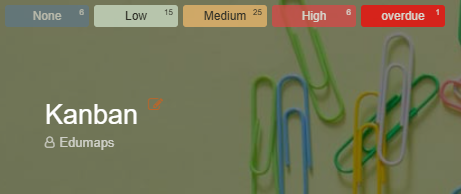
The task module has been significantly improved. New is the “overdue” badge, which appears automatically when a task deadline has passed.
-
There is also a map-wide priority filter. With one click on a username, only that user’s tasks are displayed.
-
-
These features provide:
-
- More transparency
- Faster overview
- More efficient task management
-
⚙ a4
5
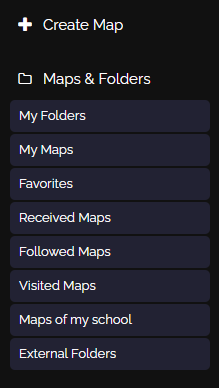
📂 Navigation & Folders Restructured
6
📱 Improved Smartphone Navigation
-
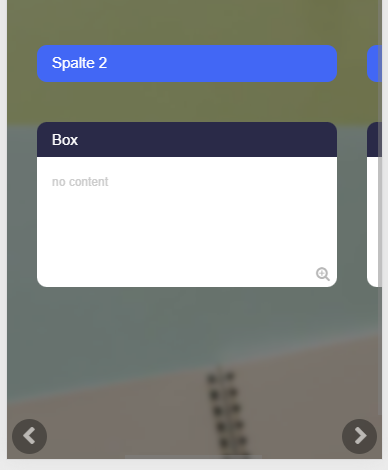
For mobile use, new buttons have been introduced to jump directly to the next column.
-
This makes it easier to:
-
- Navigate large maps
- Work with many columns
- Stay oriented on small screens
-
Especially in complex projects, this improvement significantly increases usability on smartphones.
-
⚙ a6
7
🏫 20 New School & Sports Templates
-
20 new templates for schools and everyday school life have been released. They cover typical scenarios such as project planning, parent meetings, or lesson organization.
-
In addition, there are new templates for sports clubs and tournaments. A special highlight: Compared to other tournament software, spectators can upload live photos and videos directly into the tournament map.
-
This makes events more interactive and dynamic.
-
Map templates LINK
-
⚙ a7
8
🤖 New Tutorial Map: Create a Map with AI
-
With the new tutorial map “Create Map with AI”, users learn step by step how to generate complete maps in a very short time. The guide shows:
-
- How to enter a topic
- How the AI automatically creates suitable boxes
- How to structure and expand content
- How to add design elements and modules
-
The tutorial map is practice-oriented and includes concrete examples for schools, clubs, and organizations. Especially helpful are the tips for refining AI suggestions. Within minutes, you can create a professionally structured map. Ideal for beginners and anyone who wants to save time.
-
Folder: ✨ AI Module LINK
-
⚙ a8
9
📅 Rental Module: Blocked Days Introduced
-
In the rental module, blocked days can now be defined. This allows you to set time periods during which no booking is possible, for example on public holidays or during maintenance work.
-
Advantages of the new feature:
-
- Prevention of incorrect bookings
- Clear planning
- Automatic blocking of defined periods
-
Blocked days apply system-wide to the respective rental item. Administrators retain full control over availability.
-
⚙ a9
11
⏳ Countdown in Box Editor & Larger Editor
-
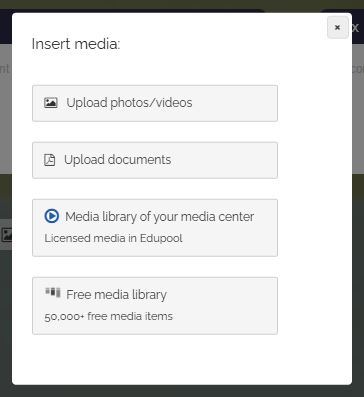
The box editor has been expanded and improved. New is a countdown in the editor tools that makes time-limited actions visible.
-
In addition, the editor has been significantly enlarged on larger screens. This provides:
-
- More workspace
- Better overview
- More comfortable writing and editing
-
These optimizations make creating extensive content much easier.
-
⚙ a11
13
👩🏫 New Sample Map: Teaching Staff
-
The new sample map “Our Teaching Staff – Teachers in Profile” demonstrates how a team can be presented professionally.
-
It serves as inspiration for:
-
- School websites
- Team presentations
- Project groups
-
The map stands out with its clear design and structured presentation of team members.
-
⚙ a13
14
📘 New Tutorial Map: Share Column Groups
-
The new tutorial map “Share Column Groups” explains how specific areas of a map can be shared selectively.
-
Topics covered:
-
- Permission settings
- Partial sharing
- Practical use cases
-
This greatly facilitates collaboration in larger projects.
-
⚙ a14
15
🎨 New Design of the Login and Registration Page
-
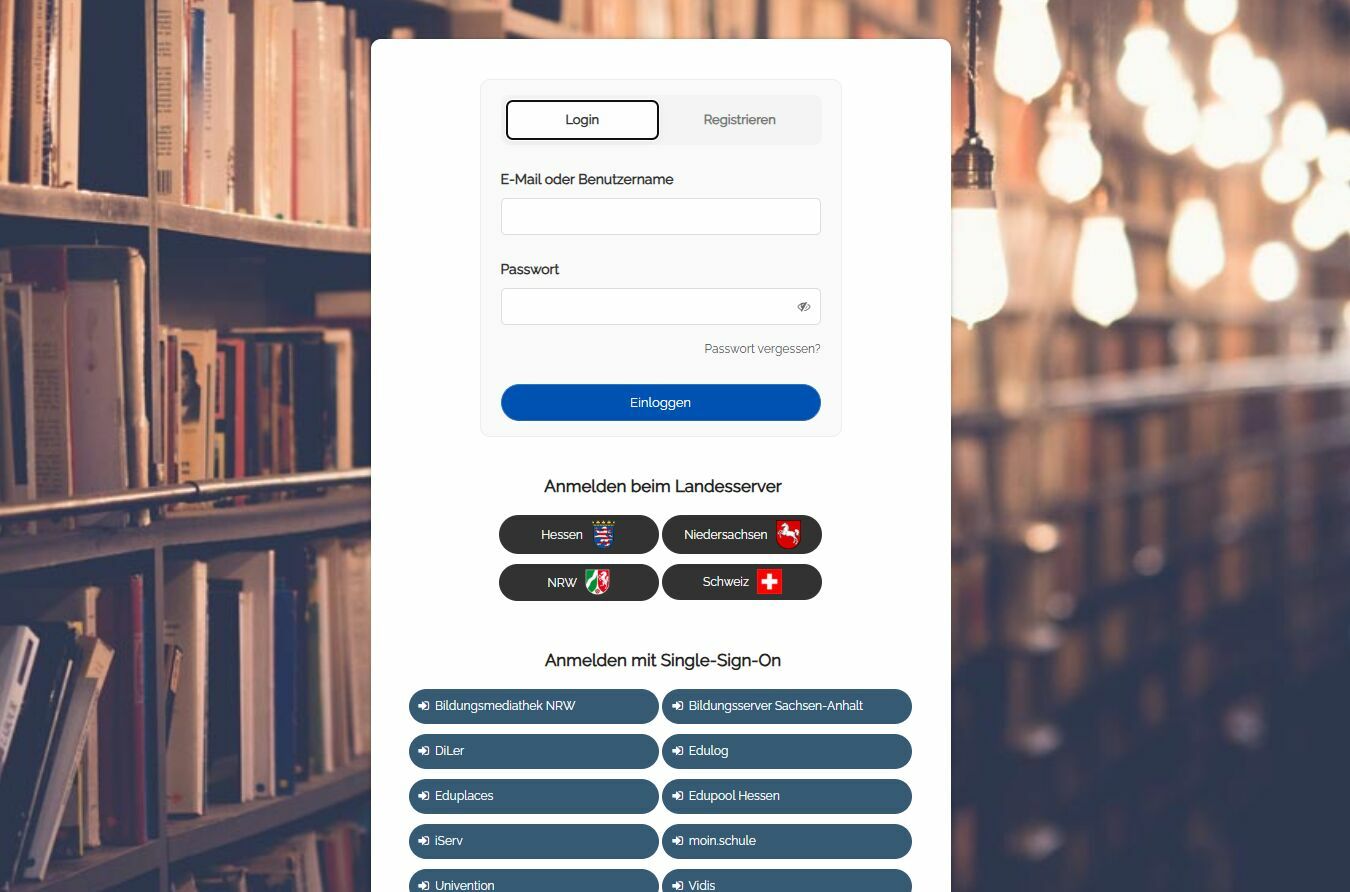
The login and registration page has been completely redesigned. The new design is more modern, clearer, and more user-friendly.
-
Improvements at a glance:
-
- Clearer structure
- Optimized display on smartphones
- Faster orientation for new users
-
With the fresh layout, getting started with Edumaps is now even more intuitive. Especially on mobile devices, the new design ensures significantly better usability.
-
-
⚙ a15
