3 / 10
1
Open the share dialog
-
Open your map in edit mode.
-
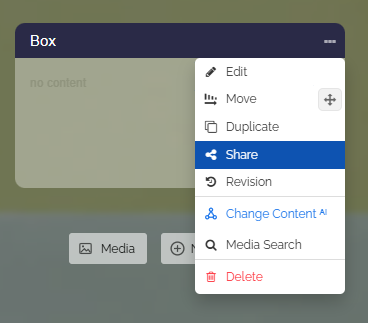
Click the three dots on the desired box and select “Share” in the dropdown.
-
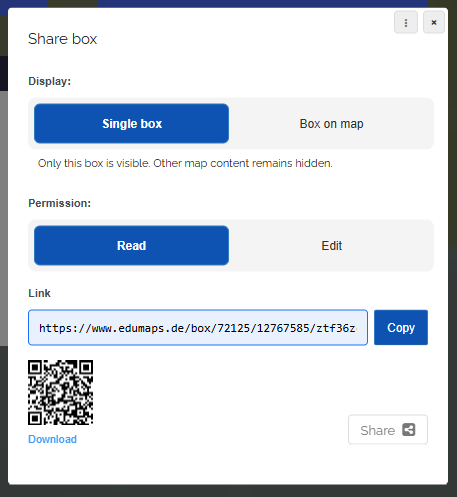
The “Share box” dialog opens with the following options:
-
- Display: “Single box” or “Box on map”
- Permission: “Read” or “Edit”
- Link with copy button
- QR code for download
- Share button