6 / 8
4
Solution to reveal (ideal for dictations)
-
For dictations and listening comprehension, there is a convenience function: the reading text is hidden and appears below at the same time as a revealable solution (like spoiler text).
-
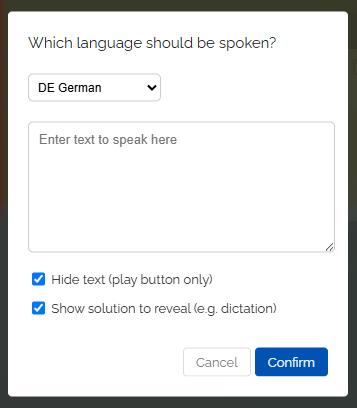
To do this, activate the option “Show solution to reveal” in the text-to-speech dialog.
-
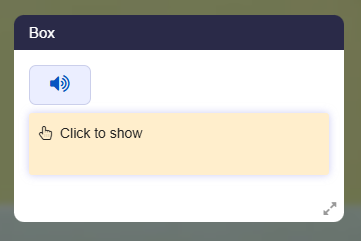
In the map, learners then only see the play button and, below it, the field “Click to show”. They listen to the text, write along, and then reveal the solution with a click in order to check their own work.
-
-
Technical note: In the box editor, a double exclamation mark controls this function, for example
<audio-en>!!We fly over the ocean .... -
A single
!only hides the text, while a double!!hides it and additionally shows the solution to reveal. - You can find many ready-made examples in the template “Read Aloud & Audio - Examples".