
German as a second language with Edumaps
Create, share and support language learning, vocabulary work and digital German courses with ease.
With Edumaps, teachers create interactive materials for German as a second language, language courses, vocabulary exercises, listening-comprehension tasks and learning paths. Learners start by link or QR code, listen to words and sentences with a natural voice, complete tasks at their own pace and practise German in class, at home or during support phases.
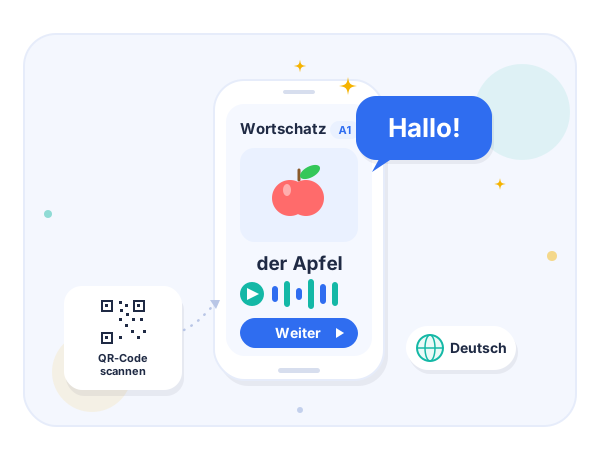
Create DaZ materials quickly and use them directly
Edumaps combines AI-assisted course creation, natural audio output, simple participation and result overviews in one shared learning environment.
- Create language courses with AI
- Generate audio automatically (read aloud with a natural voice)
- Start by QR code without complicated login
- Practise vocabulary, sentence patterns and everyday language
- Prepare materials for different levels
- Track results and completion status
Developed for schools, courses and language support
Edumaps is already used by around 8,600 schools in the DACH region and is suitable for teaching, support, self-study phases and school-wide material collections.
- Proven in school use
- Suitable for statewide solutions and school licenses
- GDPR-compliant operation with a data processing agreement
- Hosting in Germany
- Connection to school and state portals possible
- Usable by teachers without technical entry barriers
View an example
In the sample course, you can see how a digital language course is structured in Edumaps: with tasks, audio, learner work and an overview of results and completion status.
Why Edumaps for German as a second language?
DaZ teaching needs clear structure, plenty of repetition, understandable language, audio, differentiation and materials that can be quickly adapted to different learning levels.
- From idea to course faster Define the topic, target group, level and number of tasks – Edumaps creates an editable basis from this.
- Listen to, read and use German Words, sentences, explanations and tasks can be combined with natural audio output.
- Differentiation without starting over Materials can be copied, shortened, simplified, expanded or recreated for other levels.
- Enable independent practice Learners can work through tasks at their own pace, repeat audio and review content several times.
- Make results visible Teachers can see which tasks have been completed and where further support is needed.
- Develop materials further as a team DaZ courses, vocabulary collections and support materials can be centrally collected, copied and used collaboratively.
How a DaZ language course is created
The Edumaps AI assistant supports preparation. The teacher reviews the content, adapts it if necessary and decides how the course is shared.
- 1. Choose a topic For example school, shopping, housing, health, transport, work or everyday situations.
- 2. Define the target group The course can be adapted to age, learning level, proficiency level, class or support group.
- 3. Generate the course Edumaps creates words, sentences, tasks and structural suggestions as an editable basis.
- 4. Add audio Words and texts can be read aloud automatically so that pronunciation and listening comprehension are practised as well.
- 5. Share and let learners work Learners open the course by link or QR code and complete the tasks on their device.
- 6. Evaluate results Completion status and results help plan the next support step.
Functions for DaZ and language support
The most important tools for language support are directly connected with the general Edumaps functions for teaching, organization and collaboration.
- AI language courses Automatically prepare and then edit German courses for topics, levels and target groups.
- Read aloud with a natural voice Output words, sentences and short texts as audio and integrate them directly into exercises.
- Exercises and quizzes Create tasks for repetition, self-checks, vocabulary work and text comprehension.
- Digital learning maps Clearly structure images, texts, links, files, videos, tasks and learning paths.
- Link and QR code Open materials quickly – also on tablets, smartphones or shared devices.
- Result overview Track work, results and progress and identify support needs.
- Classes & groups Share materials specifically with DaZ groups, classes, support groups or individual users.
- Templates and export Copy and adapt courses and reuse them as PDF, image, Markdown, Moodle course or offline version.
Typical use cases and topics
Edumaps is suitable for short practice phases, complete learning paths and shared material collections in the DaZ field.
- Welcome classes and preparatory classes
- Language support in regular lessons
- Self-study phases and homework
- Vocabulary for school, family, housing and everyday life
- Dialogues for shopping, doctor visits, transport and leisure
- Sentence patterns, language phrases and simple grammar
- Listening comprehension and pronunciation training
- Reading practice with short texts and tasks
- Material collections for DaZ teams and departments
What makes Edumaps different in DaZ teaching
Edumaps is not just a single exercise tool. Teachers can build complete learning environments: from first vocabulary to documented practice phases.
- Language course and teaching map in one Exercises, explanations, images, links, tasks, audio and additional material stay in one place.
- Editable instead of rigid AI-generated content is a proposal that can be professionally reviewed, shortened, expanded or restructured.
- Suitable for heterogeneous groups The same topic can be adapted for different learning levels, languages and support groups.
- Teaching and organization connected Courses, tasks, groups, rights, results, templates and exports are kept in one shared environment.
Data protection and operation
Edumaps is designed for use in education. Operation is based on hosting in Germany, personal data is processed in compliance with the GDPR, and a data processing agreement can be provided.
Schools retain control over users, roles, rights and content. DaZ materials can be shared publicly, protected, internally, group-based or only with specific users.
For AI functions, content is not used to train AI models. AI processing is designed for school use and can be integrated into existing data-protection and approval processes.
Further information is available in the privacy notices and the data processing documentation.
Who is Edumaps suitable for in the DaZ field?
- DaZ teachers
- Welcome classes
- Preparatory classes
- Primary schools
- Secondary schools
- Vocational schools
- School districts and authorities
- Language support centers
- Integration and educational institutions
View examples
In the sample course, you can see how a digital language course is structured in Edumaps.
My Family – for Turkish-speaking learners
Open courseAt School – for Russian-speaking learners
Open coursePrepare DaZ teaching with Edumaps
Create your first language courses, share exercises by QR code and build digital materials for German as a second language step by step.