
Edumaps for Teachers
Prepare lessons, structure materials and make learning processes visible – even without a school license.
Edumaps helps teachers, tutors and trainers create digital learning maps, weekly plans, learning paths and collections of materials. Content can be clearly structured, shared with learners and, where needed, edited together – via link or QR code, even without students having to create their own accounts.
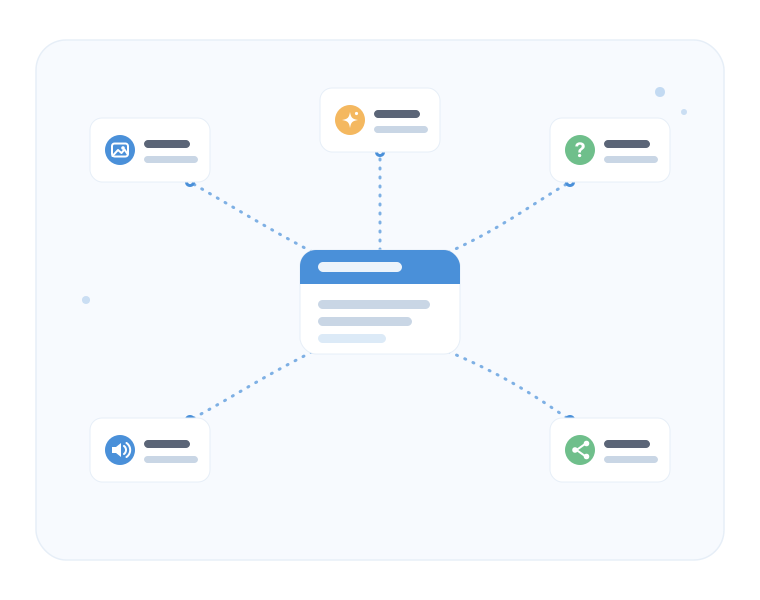
Why Edumaps for teachers?
- Prepare lessons faster Structure topics, materials, tasks and learning steps into a clear map in just a few minutes.
- Guide learning processes visually Present weekly plans, learning paths, station work and exam preparation clearly.
- Collect materials in one place Organize links, images, PDFs, videos, audio files, documents and your own texts.
- Reach students easily Share maps by link or QR code – without complicated sign-in during lessons.
- Save time with AI Prepare outlines, tasks, quizzes, language exercises and simplified texts directly in Edumaps.
- Reuse existing content Copy public maps, adapt them and modify them for your own teaching.
Use in lessons with data protection in mind
- Server location Germany Edumaps is operated on servers in Germany and is designed with data protection in mind for use in schools.
- Students without their own registration Learners can open many types of content by link or QR code without having to create their own account.
- Anonymous use possible For simple classroom scenarios, maps can be used without requiring personal student data.
- Transparently documented Information on data protection, data processing and technical safeguards is available centrally.
Start for free, upgrade when needed
- Try it for free Create your first maps, collect materials and test Edumaps directly in your own lessons.
- Usable without a school license A personal account is enough if your school does not yet have its own Edumaps license.
- Premium features optional AI features, larger usage options, additional exports and further tools can be activated when needed.
- Expandable later at school If Edumaps is used more widely among colleagues, a school license can simplify shared use.
Typical use cases
- Lesson preparation
- Weekly plans and learning paths
- Station work and project work
- Individual support
- Self-study and exam preparation
- Tutoring and learning support
- Professional development, workshops and seminars
- Language courses, vocabulary practice and quizzes
What a learning map can look like
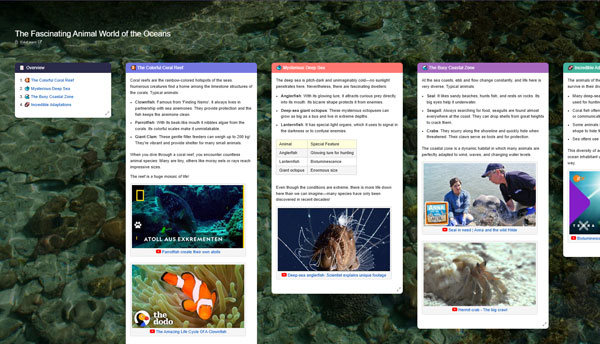
A map can bring together teaching material, tasks, media, notes and learning steps in one shared view. Students immediately see what needs to be done, while you can flexibly add, move or adapt content for other teaching groups.
- Organize materials and tasks in boxes
- Structure learning steps from top to bottom or by columns
- Embed videos, PDFs, links, images and texts directly
- Let students open the map in class via QR code
AI features for faster preparation
- Structure topics Turn an idea into a clear outline, learning map or lesson structure.
- Create tasks and quizzes Prepare assignments, practice questions, answer options and solutions.
- Adapt texts Simplify, summarize, expand or tailor content to a learning group.
- Develop language exercises Generate vocabulary, dialogues, sentences and exercises for language lessons or self-study.
Share, export and reuse
- Share by link or QR code
- Students can use it without their own registration
- Work together with colleagues or learning groups
- Copy and adapt existing maps
- Export as PDF, image, Markdown, Moodle course or offline version
- Text-to-speech for learning texts and more accessible use
Create your own learning map
Start for free, create your first map and test Edumaps directly with your own teaching materials.